Skip to content
Powered by Pagefind
English

Independent Roblox fan wiki

Stream a Mukbang Codes, Guides & Wiki

Check codes, learn the streaming loop, plan your food rewards, and find clear answers for table clearing, mobile play, and updates.

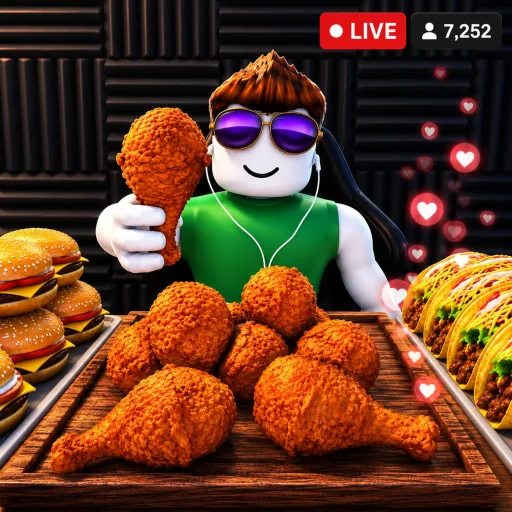
Stream a Mukbang Roblox game thumbnail
Official Roblox thumbnail for Stream a Mukbang!, shown for quick game recognition.

Quick start

Jump straight to the answer

About this wiki

A practical Stream a Mukbang wiki for Roblox players

Stream a Mukbang is easy to open and harder to optimize once you start comparing food choices, table progress, rewards, and the timing of updates. This site is built as a quick reference rather than a scraped code dump. The goal is to answer the question in front of you, show what is known, and make uncertainty visible when a mechanic or code has not been tested in a live server.

Codes with a source trail

The codes page puts the code itself first, followed by the reward, source, and check date. The current list uses entries shown in the public Roblox description for Stream a Mukbang, including RELEASE, FREEFOOD, 1MILLION, and 10MILLION. A public listing is useful evidence, but it is not a promise that a code will work forever or on every server.

When you redeem a code, copy the capitalization exactly, confirm the reward in your account, and tell us if the result differs. That workflow keeps the page useful for players without pretending that a dynamic Roblox code system is static.

Open the codes checklist

A beginner route that avoids wasted loops

New players usually need a short sequence more than a huge encyclopedia: understand the visible objective, choose a food action, finish the current table, collect the result, and only then decide what to upgrade. The beginner guide explains what to observe on the first few runs so you can learn the loop from your own server instead of following an outdated screenshot.

It also separates confirmed interface advice from general strategy. If the developer moves a button or changes the reward order, the principle still holds: read the current objective, finish the table, and spend currency where it removes your next bottleneck.

Read the beginner guide

Why table clearing deserves its own guide

A table can look complete while one action, food item, or collection step is still pending. That is why the table-clearing guide uses a repeatable checklist: inspect what remains, complete the visible action, wait for the reward state, and only then leave or reset. The method is safer than guessing from a single animation or assuming that an empty plate always means the loop is over.

The page also covers the common failure pattern of spending or moving too early. When a patch changes the order, the checklist gives you a way to re-test the loop and report the exact step that changed.

Use the table checklist

Food choices are part of the economy

The food list is organized around decisions, not invented drop rates. It explains how to compare a starter option, a higher-value choice, a table-finishing action, and a reward-saving goal. Until the game exposes stable numbers, the safest comparison is the visible reward and the time or effort needed to earn it.

That makes the page useful on both a first account and a returning account. You can mark what you have actually seen, revisit the page after an update, and avoid treating a community estimate as a guaranteed multiplier.

Browse food and reward notes

Mobile and money guides focus on clarity

Mobile players benefit from a separate guide because touch controls, camera movement, and small redeem fields can make the same loop feel slower. The mobile page focuses on readable settings, stable taps, and recovery steps rather than claiming a device-specific advantage that has not been measured.

The money guide follows the same principle. It explains how to compare a reward against the next upgrade, when to save, and how to test a route with a simple before-and-after note. The result is a decision framework you can re-use when the game economy changes.

Compare mobile and money tips

Updates are written as a change log

Live Roblox games change quickly, so every page carries a date and a clear source boundary. The updates page records what this wiki checked, what came from the public game listing, and which details still need a live-server confirmation. That is more useful than quietly replacing old text and leaving readers to guess what changed.

If you notice a different button, reward, or table state, include the server date and the exact step that changed when you report it. Specific reports are easier to verify and make the next revision more trustworthy.

See the freshness log

Stream a Mukbang FAQ

Short answers to the questions new and returning Roblox players ask most often.

Where can I play Stream a Mukbang?
Use the Play on Roblox buttons on this site to open the official Stream a Mukbang experience. This wiki does not embed a fake game frame or ask you to download an installer.
What is the fastest way to find current codes?
Open the codes page, read the source and check date beside each entry, and then verify the reward in your own account. Start with codes listed in the public Roblox description.
How do I clear a table in Stream a Mukbang?
Use the visible objective as your checklist: inspect what remains, complete the pending food or collection action, wait for the reward state, and only then leave or reset. The dedicated guide explains the sequence in more detail.
Does the wiki have a Stream a Mukbang script?
No. We do not publish exploit scripts, executors, or bypass instructions. The guides focus on legitimate in-game actions, code redemption, and update-aware strategy.
Can I use this wiki on mobile?
Yes. The articles are responsive, and the mobile guide covers touch-friendly settings, camera recovery, redeem-field tips, and ways to reduce accidental taps.
Is this the official Stream a Mukbang website?
No. It is an independent fan wiki. The official Roblox experience is linked where a first-party source matters, and the footer explains the site's relationship to the developer.
View all

Explore Stream a Mukbang

Short, linked answers for the decisions players make most often.

Ready to start your next stream?

Open the official Roblox experience, then keep this wiki nearby for code checks and quick explanations when the game changes.